You’ve recorded a podcast episode. Maybe two. You’ve put your voice, your story, and your thoughts into the world. Now the big question hits:
How to upload a podcast to Spotify—the platform where millions discover new shows daily?
Because great content is invisible without smart distribution. And in 2025, Spotify is still the podcast heavyweight you can’t afford to ignore.
Let’s break this down. No jargon. No fluff. Just a clear path from the audio file to the Spotify feed.
Table of Contents
First, What Spotify Actually Needs From You
Spotify for Creators
Spotify doesn’t host your podcast directly.
It pulls it from wherever your podcast lives—called a hosting platform. Think of Spotify like a display window, not the stockroom.
So, before you even touch Spotify, you need two things:
A podcast host (like Buzzsprout, Anchor, Podbean, etc.)
An RSS feed from that host (automatically generated)
That RSS feed? It’s the golden link Spotify reads to fetch your podcast, show details, artwork, and episodes.
Step 1: Choose the Right Hosting Platform to Upload a Podcast to Spotify
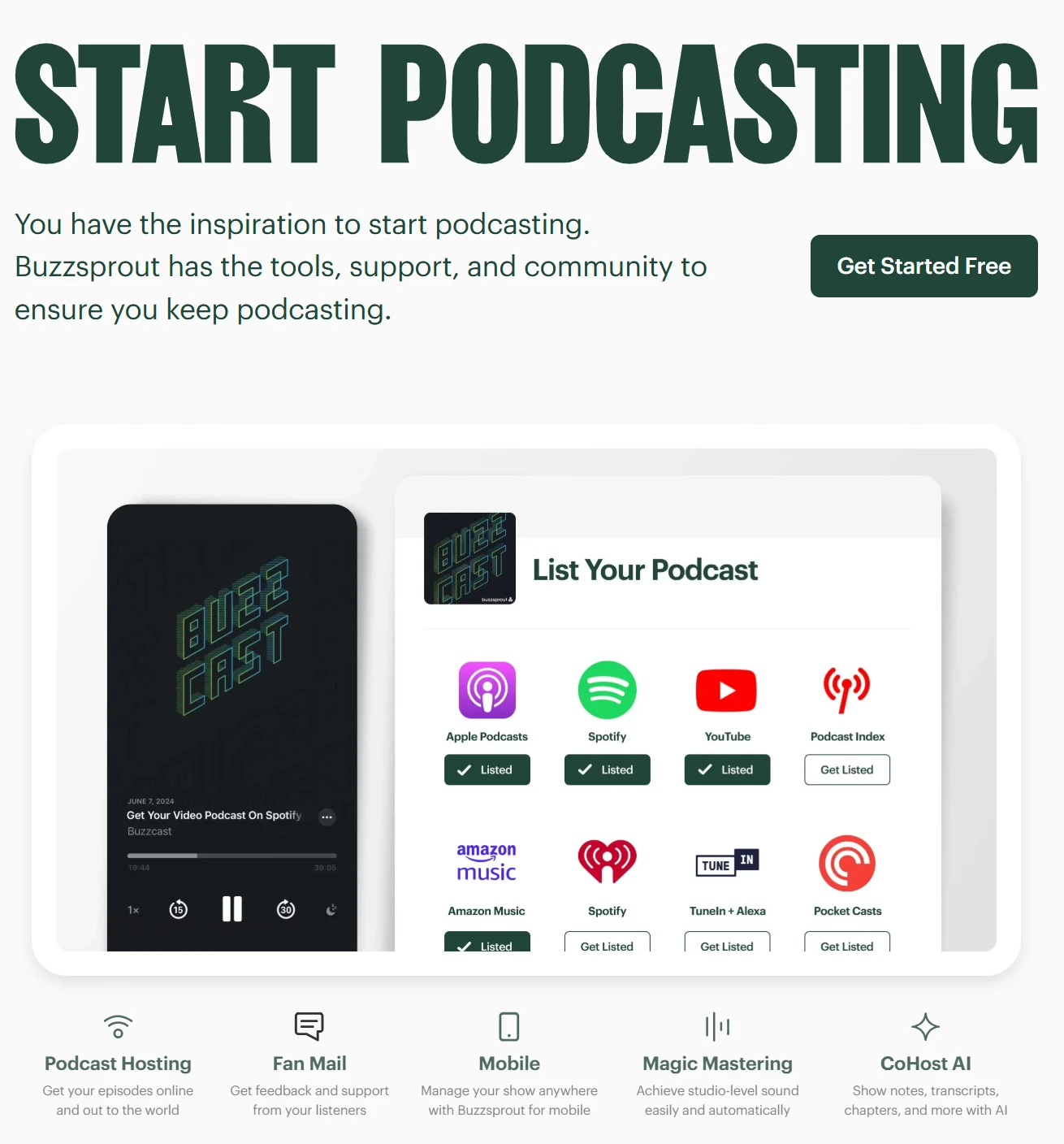
Buzzsprout
This is your backstage.
Some options offer built-in tools. Others just give you a clean feed and let you build your brand.
Three strong picks for uploading a podcast in 2025:
Spotify for Creators (formerly Anchor): Free, native to Spotify, and integrates seamlessly. Great for beginners.
Buzzsprout: User-friendly, good analytics, premium feel.
Riverside.fm + Podbean: For creators who want high-quality remote recording and a host.
Insight: If Spotify is your main stage, using Spotify for Creators can cut out the middle steps. But if you’re planning to distribute widely (Apple, Amazon, YouTube Podcasts), a neutral host gives you flexibility.
Step 2: Set Up Your Profile and RSS Feed for Spotify Podcast Uploading
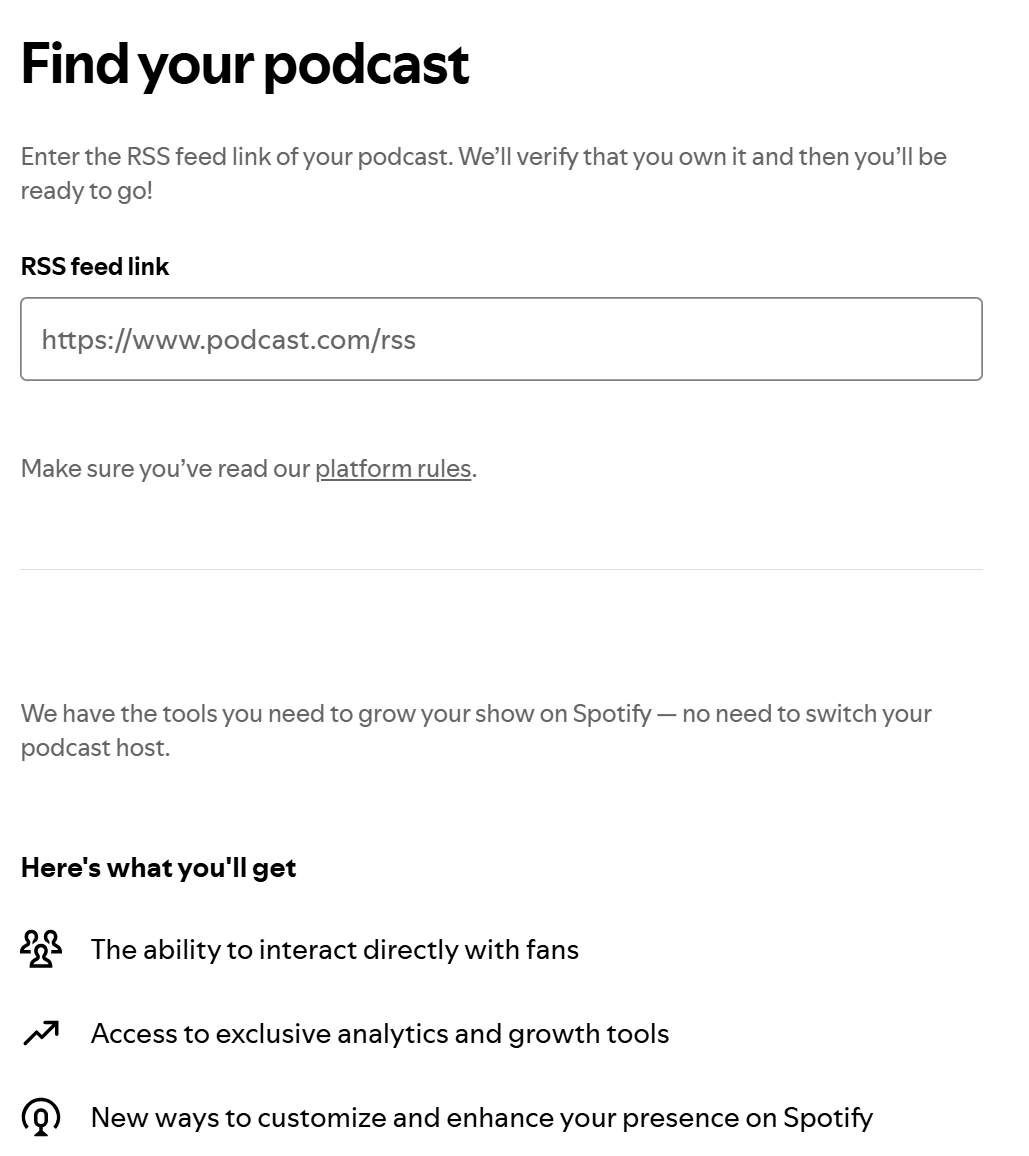
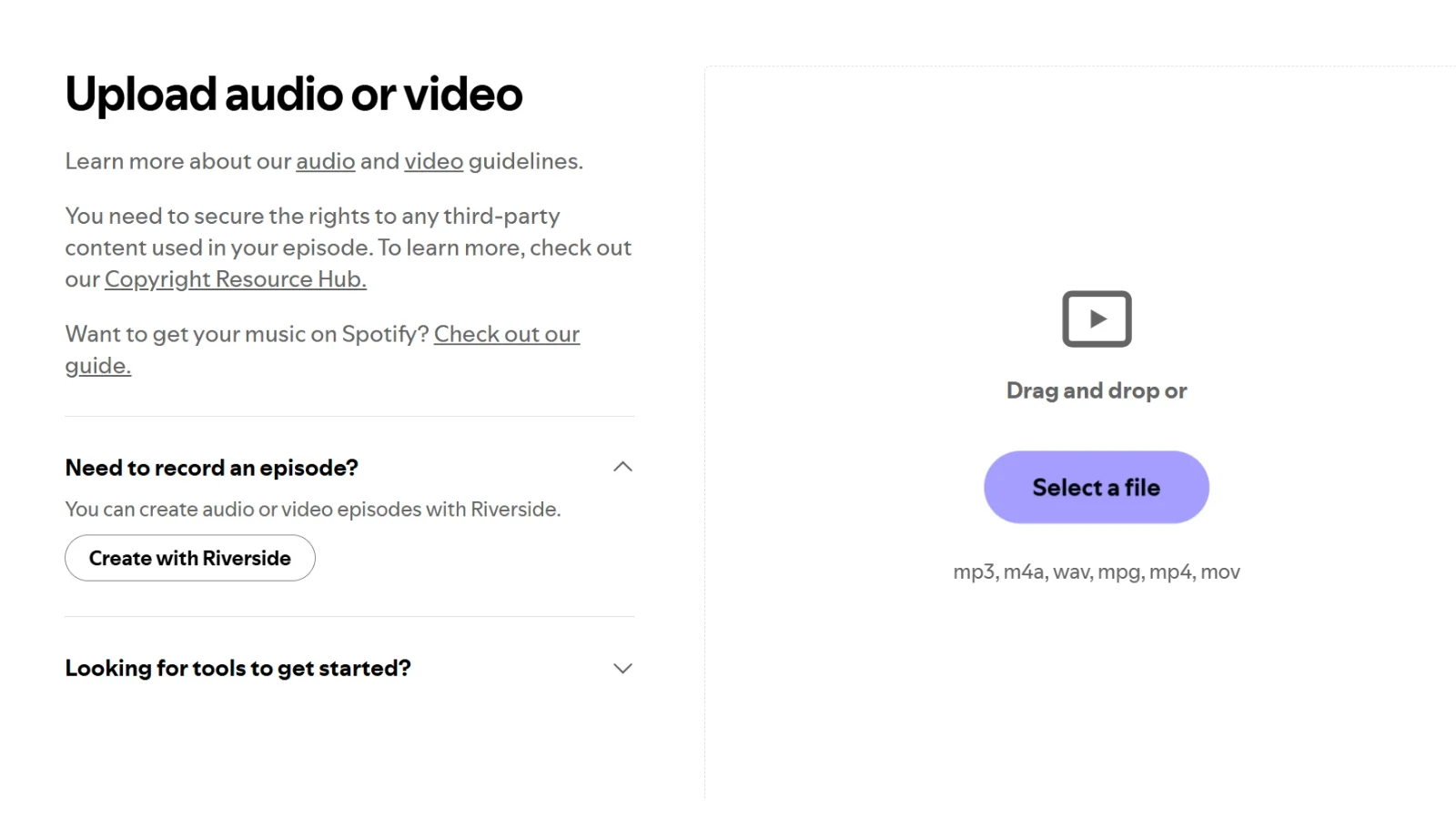
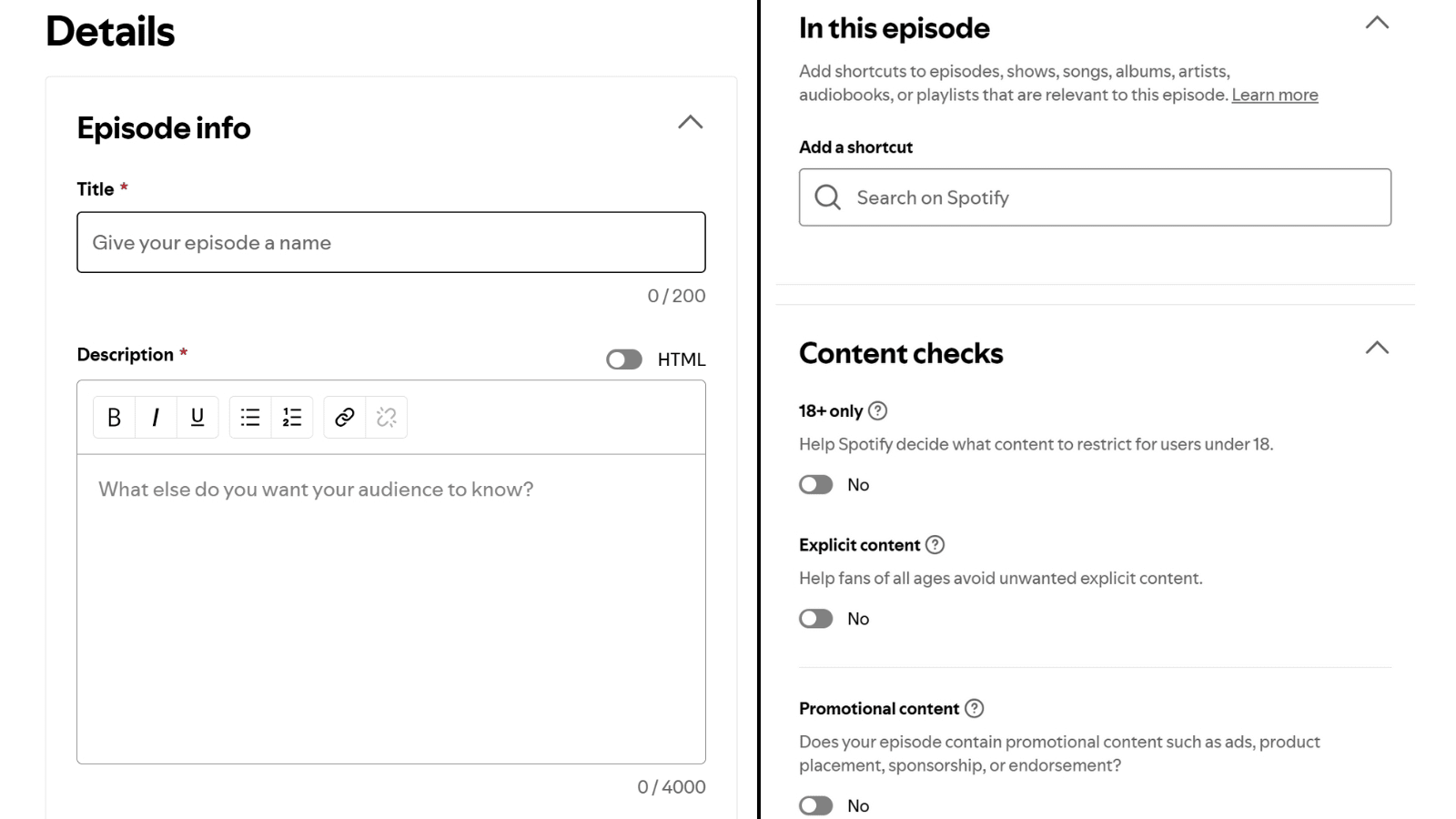
Spotify for Creators
Once you’ve uploaded at least one episode to your host and your RSS feed is live, you’re ready for Spotify.
We don’t hand you overnight fame. We hand you smart, platform-safe momentum.
So when someone stumbles across your podcast, they see listeners. They see traction. They stay.
And Spotify’s engine starts working for you.
Because the algorithm doesn’t care if your podcast is good. It cares if people are interacting with it.
So, What’s the Full System in 2025?
Here’s the high-level checklist:
Record your episode
Choose a reliable host
Upload and generate an RSS feed
Submit RSS to Spotify (unless you’re using Spotify’s built-in platform)
Optimise title, artwork, and description
Promote it smartly (with social proof, external sharing, and reviews)
Repeat weekly with consistency
Final Takeaway
Uploading a podcast in 2025 isn’t hard. But being heard is.
Visibility isn’t luck. It’s a system.
And systems work when every piece is aligned—from hosting to metadata to algorithm-friendly engagement.
So don’t just hit “upload.”
Build traction from Day One. Let Spotify showcase your voice. Let BRF amplify it.
FAQs Related to How to Upload a Podcast to Spotify
Is it free to upload a podcast to Spotify?
Yes, uploading a podcast to Spotify is totally free. Whether you’re using Spotify for Creators or another hosting service that gives you an RSS feed, there’s no cost to get your podcast listed on Spotify.
How do I upload my own podcast on Spotify?
To upload your podcast to Spotify, start by publishing your episodes on a podcast host (like Buzzsprout, Podbean, or Spotify for Creators). Once you’ve got an RSS feed, go to Spotify for Podcasters, log in with your Spotify account, and paste your RSS feed. After a quick email verification, your show will be live on Spotify.
Can you upload a private podcast to Spotify?
Not exactly. Spotify doesn’t let you upload private podcasts directly. But you can host a private show elsewhere (like Patreon or Supercast) and share access only with specific listeners. These shows won’t be public on Spotify but can still reach your audience through other apps that support private RSS feeds.
Can I upload a video podcast to Spotify?
Yes, you can! Spotify now supports video podcasts—but only if you upload through Spotify for Podcasters. Just upload your video file (MP4 format), and Spotify will show it with video playback for your listeners. It’s one of the best ways to make your podcast more engaging.
How to upload a podcast to Spotify on iPhone?
It’s easy to upload a podcast to Spotify using your iPhone. Record and edit your episode with an app like Spotify for Podcasters or Riverside, then publish it straight from your phone. If you’re using Spotify for Podcasters, your show will be distributed automatically. If not, grab your RSS feed and submit it manually through the Spotify website.
Verified Author
Written by
Mark A . Johnson
Mark A. Johnson is a social media growth strategist and content lead at BuyRealFollows.com. With over a decade of experience in platform research and digital marketing, he helps brands and creators build real audiences on Instagram, YouTube, TikTok, Facebook, and Spotify. His work focuses on algorithm analysis, engagement mechanics, and social proof strategy. Mark writes practical, research-backed guides to help readers grow their presence with confidence.
WHAT YOU'LL LEARN IN THIS GUIDEWhat separates a safe TikTok follower provider from one that risks your accountThe five criteria every reliable TikTok follower site must meet in 2026How BuyRealFollows,…
WHAT YOU'LL LEARN IN THIS GUIDEWhy your Facebook page has no engagement and what the algorithm actually prioritizes in 2026The four specific signals Facebook uses to decide which posts to…
WHAT YOU'LL LEARN IN THIS GUIDEWhy most bought TikTok views drop or disappear within days and what causes itThe specific signals TikTok uses to validate views as real versus artificialWhat…
WHAT YOU'LL LEARN IN THIS GUIDEThe real differences between Twicsy and BuyRealFollows across follower quality, pricing, and platform coverageHow Twicsy's three-tier follower system (High-quality, Active, VIP) compares to BuyRealFollows' approachWhich…
WHAT YOU'LL LEARN IN THIS GUIDEWhat SocialWick is and how it differs from BuyRealFollows in platform scope and pricingSocialWick's 15+ platform catalog versus BuyRealFollows' focused 5-platform modelA verified pricing comparison…