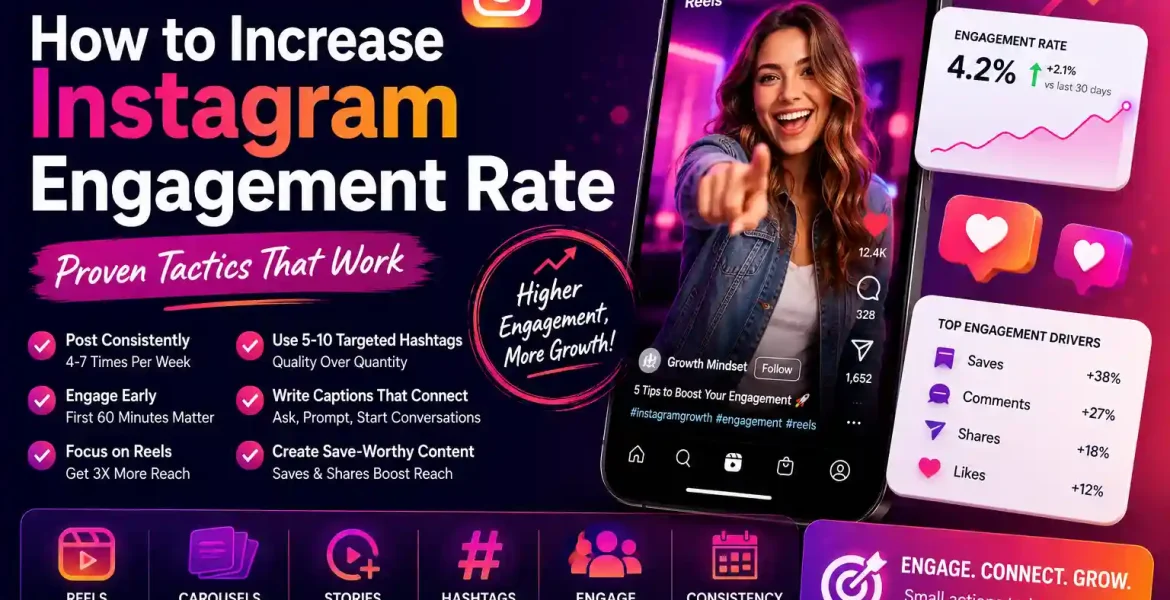
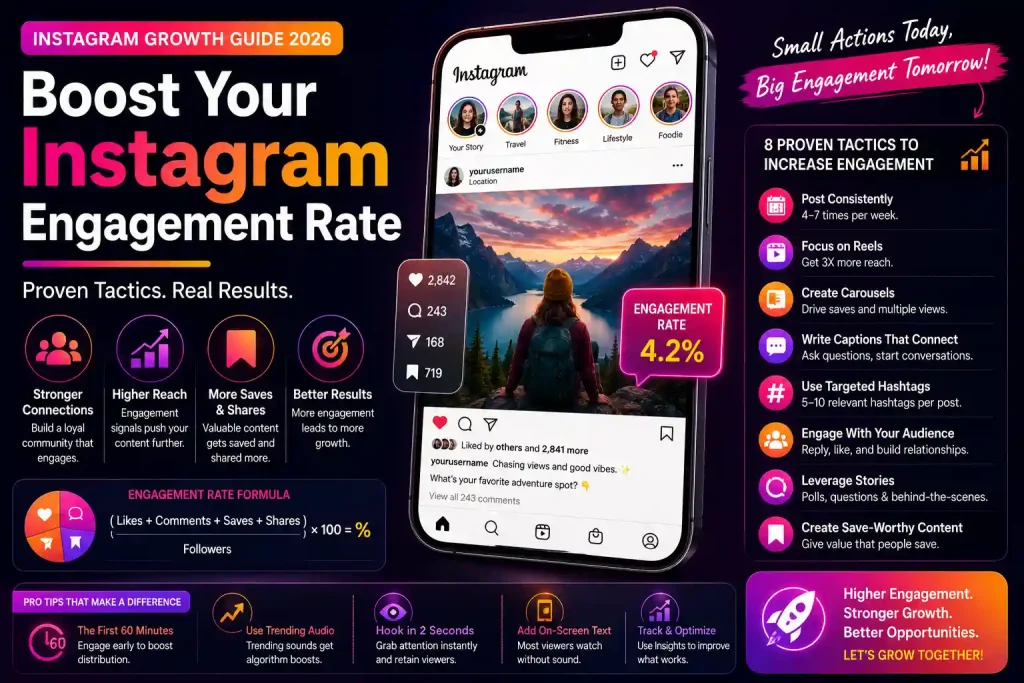
To increase your Instagram engagement rate, post consistently (4–7 times per week), use 5–10 targeted hashtags, engage with your audience within the first 60 minutes of posting, and focus on Reels—which get 3x more reach than static posts. Accounts that combine quality content with genuine audience interaction typically see 2–4% engagement rates, well above the platform average of 0.5–1%.
Your Instagram engagement rate is the single most important metric brands and collaborators look at when evaluating creators. It tells them how connected you are to your audience and whether your followers actually care about what you post.In this guide, you’ll learn exactly how to increase your Instagram engagement rate using proven tactics that work with the 2026 algorithm not against it.
What You’ll Learn
How Instagram calculates engagement rate in 2026
The posting habits that consistently drive higher engagement
Which content formats the algorithm rewards most
Hashtag and caption strategies that increase reach
How to use Stories and Reels to boost overall account engagement
Why buying real Instagram followers can help your engagement metrics
What Is Instagram Engagement Rate and How Is It Calculated?
Instagram engagement rate measures how actively your audience interacts with your content. The standard formula is: (Likes + Comments + Saves + Shares) ÷ Followers × 100. Some marketers use reach instead of followers in the denominator, but follower-based calculations are still the most widely cited in creator partnerships and brand deals.
Key Insight
Saves and shares now carry more weight in Instagram’s algorithm than likes alone. Content that makes people save it for later—tutorials, checklists, how-to posts—naturally generates higher engagement and broader reach.
Engagement rate benchmarks by account size in 2026:
Account Size
Good Engagement Rate
Great Engagement Rate
Nano (1K–10K followers)
3–6%
6%+
Micro (10K–50K followers)
2–4%
4%+
Mid-tier (50K–500K followers)
1–2.5%
2.5%+
Macro (500K–1M followers)
0.8–1.5%
1.5%+
Mega (1M+ followers)
0.5–1%
1%+
Post Consistently at the Right Times
Consistency signals to the algorithm that your account is active and worth distributing. Accounts that post 4–7 times per week see significantly better reach than those that post once or twice. But frequency without timing is wasted effort.
The best posting times depend on your audience’s location and behavior. Generally, Tuesday through Thursday between 9–11am and 6–8pm local time perform well for most niches. Use Instagram Insights to see when your specific audience is most active—this data is far more accurate than generic best-time guides.
Key Insight
The first 60 minutes after posting are critical. Instagram’s algorithm uses early engagement signals to decide how widely to distribute your post. Engage actively with comments in that window—reply to every comment to boost the engagement count and signal to the algorithm that your content generates conversation.
Prioritize Reels—They Still Get the Most Reach in 2026
Reels consistently outperform static posts and carousels in reach, often by 3x or more. Instagram’s algorithm still actively pushes Reels to the Explore page and non-followers, giving them a built-in audience expansion advantage that static posts don’t have.
For maximum Reels engagement: keep them under 30 seconds for entertainment content, use trending audio (check the music icon—if it shows an upward trend arrow, it’s being boosted), hook viewers in the first 2 seconds with a bold visual or question, and always add on-screen text for viewers watching without sound.
Important Note
Avoid repurposing TikTok videos directly to Reels if they include TikTok watermarks. Instagram’s algorithm actively deprioritizes watermarked content, which hurts rather than helps your engagement rate.
Use Carousels to Drive Saves and Multiple Views
Carousel posts are among the highest-performing content formats for engagement. Each swipe counts as an additional interaction, and people are more likely to save carousels for reference—a signal that carries significant algorithmic weight.
High-performing carousel formats include: step-by-step tutorials, before-and-after reveals, data visualizations and charts, myth-busting lists, and product showcases with multiple angles. The first slide is your hook make it visually compelling enough to stop the scroll.
Write Captions That Invite Responses
Every caption is an opportunity to drive comments the engagement type that carries the most algorithmic weight after saves. Write captions that end with a specific question, a choice between two options, or a call to tag someone who relates. Avoid generic CTAs like “let me know your thoughts below”—specificity drives better response rates.
Caption length also matters. For educational content and carousels, longer captions (150–300 words) perform well because they keep people on the post longer, which increases dwell time—another signal Instagram tracks. For Reels, shorter captions with one strong hook line work better.
Key Insight
Using the word “comment” in your caption CTA measurably increases comment rates. Posts that ask followers to “comment your answer below” or “drop a [emoji] if you agree” outperform posts with no CTA by an average of 40–60% in comment volume.
Hashtag Strategy That Actually Works in 2026
The hashtag landscape on Instagram has shifted. Broad, high-volume hashtags (#love, #instagood) no longer provide meaningful reach because the competition is too high. Instead, use a mix of 5–10 hashtags in these categories: 2–3 niche-specific hashtags (50K–500K posts), 2–3 mid-size hashtags (500K–2M posts), and 1–2 broad hashtags (2M+ posts) relevant to your content.
Place hashtags in the caption rather than the first comment—Instagram confirmed this approach is treated identically, but keeping them in the caption simplifies your workflow. Rotate your hashtag sets to avoid appearing spammy to the algorithm.
Engage With Your Community Before and After Posting
Engagement is a two-way street. Accounts that actively engage with others in their niche—commenting on relevant posts, responding to Stories, interacting with followers’ content—see a measurable boost in their own engagement rates. This is because Instagram’s algorithm considers relationship signals when deciding who sees your content.
Spend 15–20 minutes before posting engaging with accounts in your niche. This warms up the algorithm and signals that you’re an active participant in the community, not just a broadcaster. Similarly, reply to every comment on your posts within the first few hours to maximize the engagement multiplier effect.
Use Stories Daily to Stay Top-of-Feed
Instagram Stories appear at the top of the app and have their own engagement metrics—views, replies, poll responses, and emoji reactions. Posting Stories daily keeps your account visible to followers who might scroll past your feed posts. High Story engagement also signals to Instagram that your followers are actively interested in your content, which can improve feed post distribution.
Use interactive Stories features strategically: polls and questions generate the most responses and keep viewers engaged longer. Countdown stickers for product launches or content drops build anticipation. Link stickers on Stories can drive traffic while keeping engagement metrics strong.
How Follower Count Affects Your Engagement Rate
Here’s a counterintuitive truth about Instagram engagement: having a large number of low-quality or inactive followers actively hurts your engagement rate. If 30% of your followers are ghost accounts that never interact, your engagement rate is mathematically diluted even if your real audience is highly engaged.
This is why the quality of your followers matters as much as the quantity. When you buy Instagram followers from a reputable provider, you want followers that look authentic and don’t drag down your engagement ratio. Services that deliver real-looking, high-retention followers help you build social proof without tanking your engagement rate metrics.
Key Insight
Growing your follower base with real, targeted followers—rather than random or bot accounts—protects your engagement rate while building social proof. A smaller, engaged audience consistently outperforms a large, disengaged one in both algorithm reach and brand partnership opportunities.
Track Your Engagement Rate With the Right Tools
Manually calculating engagement rates across dozens of posts is time-consuming. Use Instagram’s built-in Insights for per-post data, and supplement with the Instagram engagement rate calculator for quick account-level benchmarking.
Track engagement rate trends weekly, not daily—single-post spikes or drops create noise that can mislead optimization efforts. Look for 4-week and 12-week trends to understand what content types are genuinely moving the needle.
2–4% is a strong benchmark for mid-size accounts; nano accounts can reach 6%+
Reels consistently drive 3x more reach than static posts
Respond to every comment within 60 minutes of posting to maximize early engagement signals
Use 5–10 hashtags mixing niche (50K–500K), mid-size, and broad categories
Carousels generate saves, which carry significant algorithmic weight
Daily Stories keep your account visible and top-of-feed
Ghost followers mathematically dilute your engagement rate—follower quality matters
Track trends over 4–12 weeks for meaningful optimization insights
Frequently Asked Questions
What is a good Instagram engagement rate in 2026?
A good engagement rate depends on your account size. For micro-influencers (10K–50K followers), 2–4% is solid and 4%+ is excellent. For larger accounts (100K+), 1–2% is considered healthy. The platform average sits around 0.5–1%, so anything above that puts you ahead of most accounts.
How do I check my Instagram engagement rate?
Use Instagram Insights (available on business and creator accounts) to see likes, comments, saves, and reach per post. For a quick account-level calculation, use the Instagram engagement rate calculator—input your follower count and average interactions per post to get your rate instantly.
Why is my Instagram engagement rate dropping?
Common causes include posting too infrequently, gaining a large number of inactive followers, not responding to comments, relying on oversaturated hashtags, or a shift in your content style that doesn’t resonate as well. Use Instagram Insights to identify which posts underperformed and look for patterns in content type, posting time, or caption style.
Do hashtags still matter for Instagram engagement in 2026?
Yes, but strategy matters more than quantity. Using 5–10 well-chosen hashtags that mix niche, mid-size, and broad categories outperforms using 30 random hashtags. Avoid banned or overused hashtags, and rotate your sets to avoid triggering spam filters.
Can buying followers hurt my engagement rate?
Buying low-quality bot followers absolutely hurts your engagement rate—they never interact, which dilutes your metrics. However, buying real-looking, high-retention followers from reputable services like BuyRealFollows builds social proof without significantly impacting your engagement ratio, especially when you’re simultaneously growing your organic engagement through the strategies in this guide.
How long does it take to improve Instagram engagement rate?
Most accounts see measurable improvement within 4–6 weeks of consistently applying these strategies. Engagement rate is a lagging metric—it reflects the cumulative effect of your posting habits, content quality, and audience relationship. Don’t judge results after just one or two weeks.
Build the Social Proof That Drives Real Engagement
A strong follower base makes your content more credible, encouraging organic users to engage. Explore real follower growth services that protect your engagement metrics.
Mark A. Johnson is a social media growth strategist and content lead at BuyRealFollows.com. With over a decade of experience in platform research and digital marketing, he helps brands and creators build real audiences on Instagram, YouTube, TikTok, Facebook, and Spotify. His work focuses on algorithm analysis, engagement mechanics, and social proof strategy. Mark writes practical, research-backed guides to help readers grow their presence with confidence.
WHAT YOU'LL LEARN IN THIS GUIDEWhat separates a safe TikTok follower provider from one that risks your accountThe five criteria every reliable TikTok follower site must meet in 2026How BuyRealFollows,…
WHAT YOU'LL LEARN IN THIS GUIDEWhy your Facebook page has no engagement and what the algorithm actually prioritizes in 2026The four specific signals Facebook uses to decide which posts to…
WHAT YOU'LL LEARN IN THIS GUIDEWhy most bought TikTok views drop or disappear within days and what causes itThe specific signals TikTok uses to validate views as real versus artificialWhat…
WHAT YOU'LL LEARN IN THIS GUIDEThe real differences between Twicsy and BuyRealFollows across follower quality, pricing, and platform coverageHow Twicsy's three-tier follower system (High-quality, Active, VIP) compares to BuyRealFollows' approachWhich…
WHAT YOU'LL LEARN IN THIS GUIDEWhat SocialWick is and how it differs from BuyRealFollows in platform scope and pricingSocialWick's 15+ platform catalog versus BuyRealFollows' focused 5-platform modelA verified pricing comparison…