There’s a particular kind of frustration reserved for usernames.
The ones we chose when we were 16. The ones Spotify locked us into, like a digital tattoo. And the ones that—by 2025—feel like a relic from a life we’ve outgrown.
But can you actually change your Spotify username in 2025? Yes and no. Like most things in the creator economy, the answer is layered, workaround-driven, and shaped by invisible systems.
Let’s decode it—without the fluff.
Table of Contents
What’s the difference between your Spotify username and display name?
Spotify
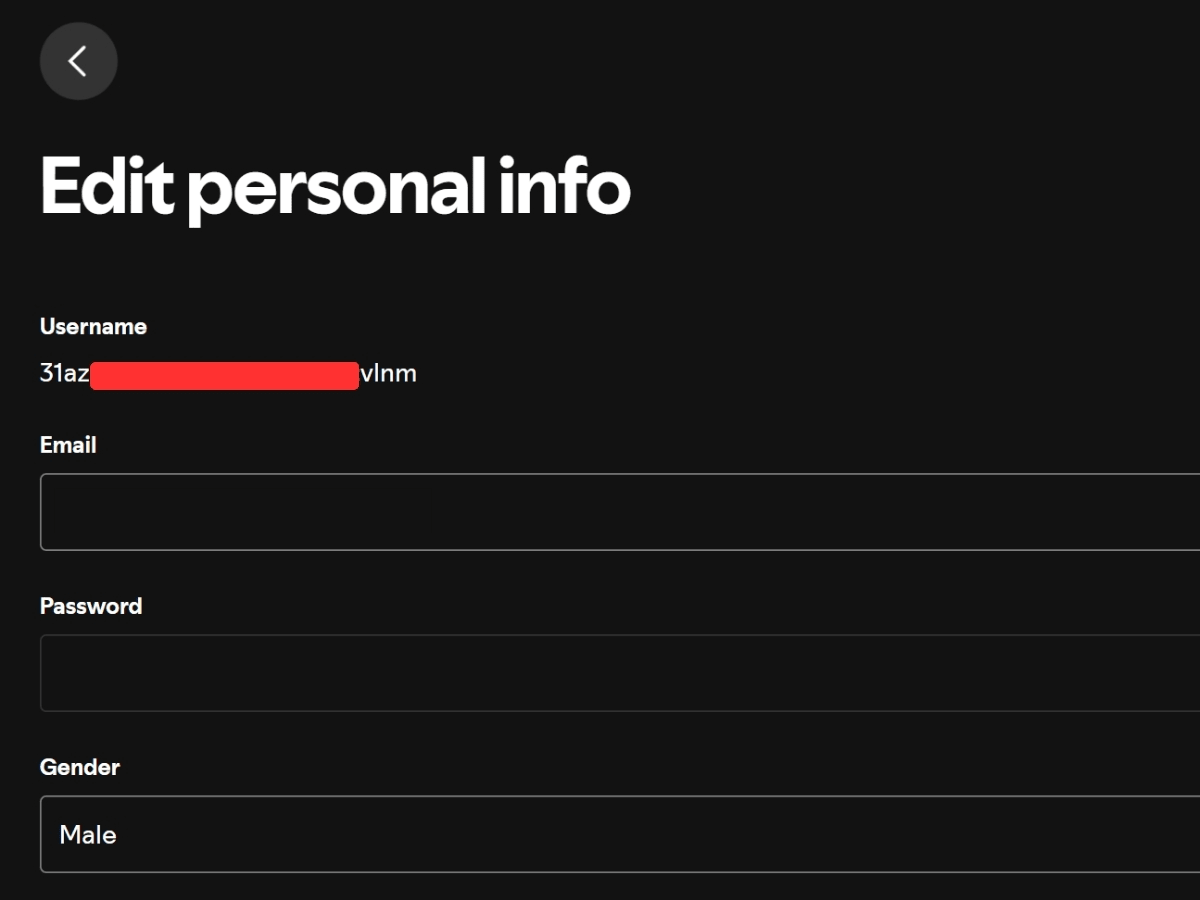
It starts here. Spotify username is a system-generated ID. You don’t choose it. You don’t edit it. It’s the immutable string of characters Spotify assigns when you sign up. Think of it as your Spotify fingerprint.
But what people see—your display name—is what actually matters for discoverability, shareability, and brand identity.
If you’re trying to fix an embarrassing alias, personalize your profile, or build a social presence that doesn’t scream “default,” you’re really trying to change your display name.
That’s the lever you can control.
How to change your Spotify display name in 4 simple steps
Spotify
Let’s walk it through like you’re already holding your phone.
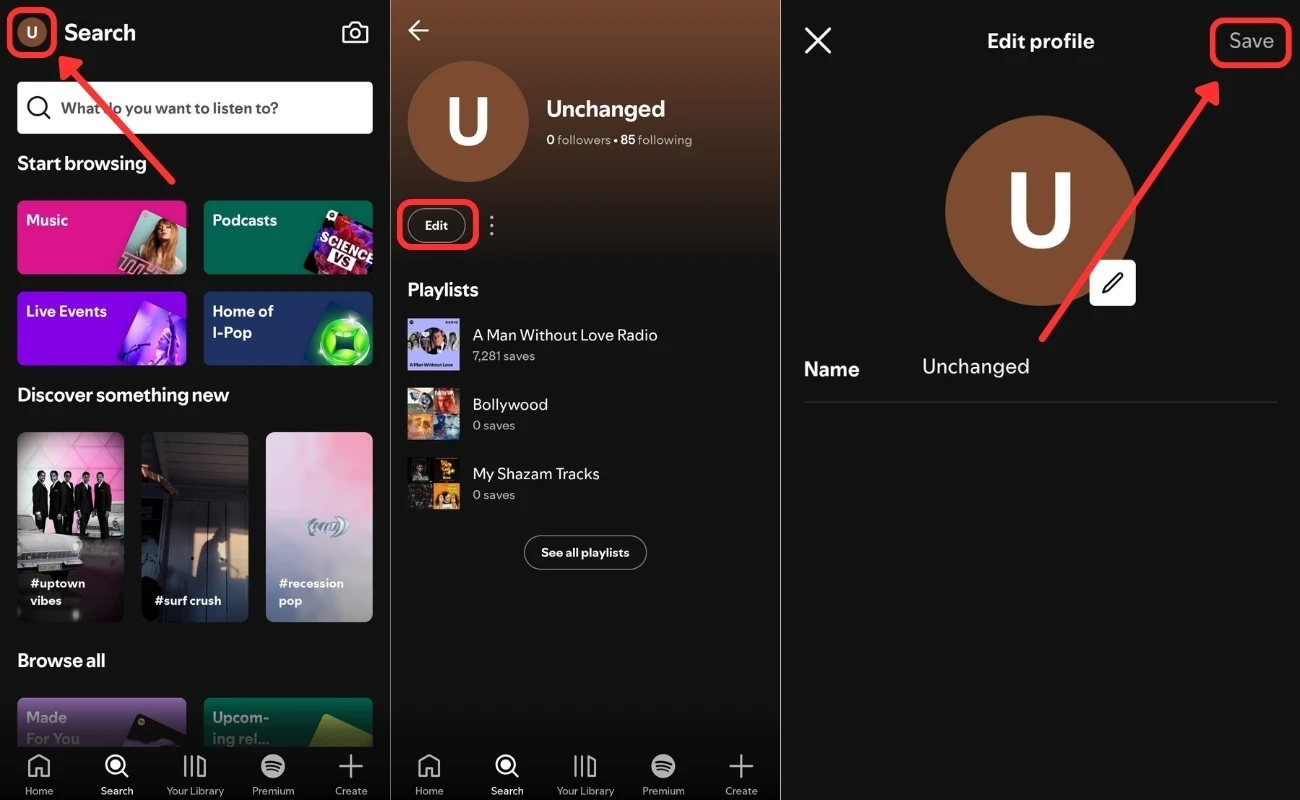
Step 1: Open the Spotify app on mobile (Android or iOS)
Spotify still doesn’t allow you to change your name from the desktop version. That’s not a glitch. That’s design.
The app is where all profile edits live.
Step 2: Tap your profile icon (top left corner)
You’ll now see your current display name—whether that’s your real name, a username from 2016, or a blank stare from the algorithm.
Step 3: Tap “View Profile”
This opens your Spotify where it shows your profile picture, display name, followers and all your playlists.
Step 4: Tap on Edit& Change Your Display
Type the name you want.
Rules:
Max 30 characters
Can include spaces
Must not violate Spotify’s community guidelines (no offensive, impersonating, or misleading names)
After typing your new display name, click on save.
You’re done. Your display name updates instantly across the platform—for all your followers, collaborators, and fans to see.
But what if you really, really want to change your actual username?
Spotify
Now we enter the gray zone.
Spotify doesn’t allow manual username changes. But there are three workarounds that get you functionally close.
Option 1: Connect with Facebook or Apple ID
When you link your Spotify account with Facebook or Apple ID, Spotify often pulls your name from that platform.
So if you want Spotify to reflect a new name:
Change your Facebook or Apple name
Then connect or reconnect your Spotify account
It’ll sometimes (not always) sync that name over
Think of this as borrowing social proof from your connected accounts.
Option 2: Create a new Spotify account
This is the nuclear option.
If your current username is unbearable—and your playlists aren’t sacred—you can:
Create a new account with the name you want
Rebuild your library manually or with playlist transfer tools like TuneMyMusic or Soundiiz
⚠️ Caveat: You’ll lose follower history, recommendations, and past stats.
It’s a reset. Not a rename.
Option 3: Use Spotify for Artists or Spotify for Podcasters
If you’re a creator—musician, podcaster, or both, you get special tools.
On these platforms, your display name becomes your brand. You can edit metadata, update bios, and curate how you appear on public profiles—independent of your original Spotify username.
This is how modern creators sidestep system limits by stepping into new systems entirely.
Why does this even matter?
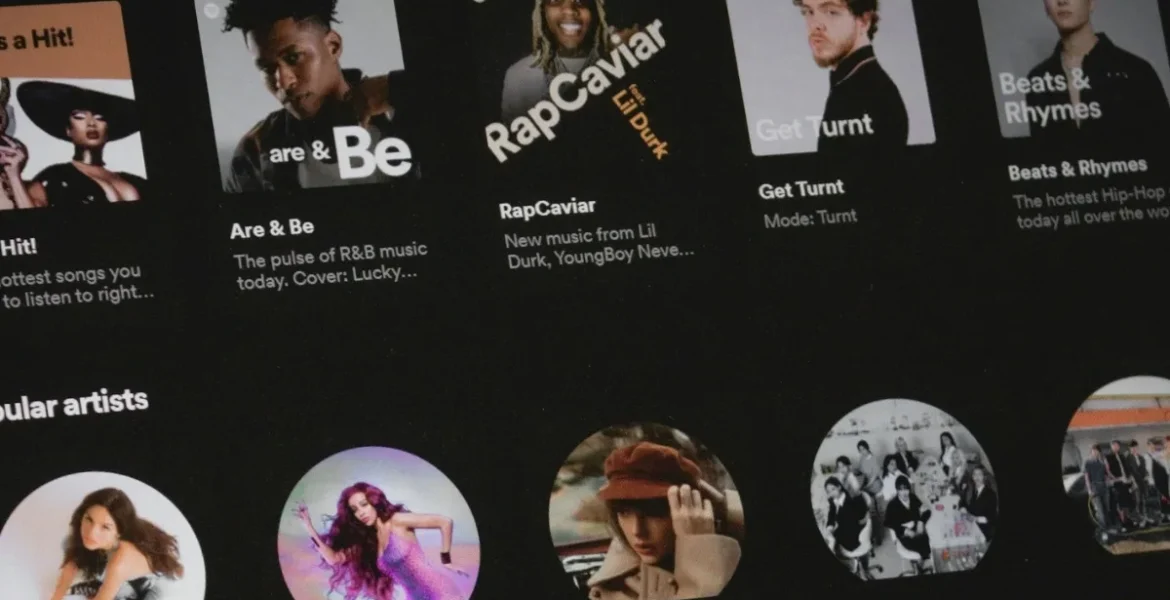
Unsplash
Because usernames aren’t just vanity. They’re part of your discoverability loop.
Build a multi-platform presence that looks consistent
Signal professionalism to potential brand partners
Your display name is your first line of defense in the attention economy. It’s your nameplate in the digital town square.
Here’s the bigger pattern: Platforms protect identity, but limit flexibility
Spotify’s stubbornness with usernames isn’t an oversight. It’s a principle: identity = consistency.
Usernames are stable keys in a database. Display names are malleable labels on the surface.
Once you understand this system, you can work with it instead of pushing against it.
Want your Spotify presence to do more than just exist? Build social proof around it
Changing your name is one part of the story.
But real traction comes from how people interact with you—follows, shares, playlist adds.
This is where platforms likeBuyRealFollows.com come in. They help creators, brands, and digital natives scale visibility authentically—using tested, platform-safe strategies that boost your presence without risking your reputation.
Because your name matters. But what people associate with it? That’s everything.
Key takeaway: You don’t need full control to take back control
Spotify won’t let you change your username. But that’s not the battle that matters.
Change your display name. Curate your identity across platforms. And use tools like BRF to give your presence the momentum it deserves.
Because in a crowded digital world, it’s not enough to exist. You need to signal who you are—clearly, consistently, and credibly.
That starts with a name. And ends with how the world reacts to it.
Verified Author
Written by
Mark A . Johnson
Mark A. Johnson is a social media growth strategist and content lead at BuyRealFollows.com. With over a decade of experience in platform research and digital marketing, he helps brands and creators build real audiences on Instagram, YouTube, TikTok, Facebook, and Spotify. His work focuses on algorithm analysis, engagement mechanics, and social proof strategy. Mark writes practical, research-backed guides to help readers grow their presence with confidence.
WHAT YOU'LL LEARN IN THIS GUIDEWhat separates a safe TikTok follower provider from one that risks your accountThe five criteria every reliable TikTok follower site must meet in 2026How BuyRealFollows,…
WHAT YOU'LL LEARN IN THIS GUIDEWhy your Facebook page has no engagement and what the algorithm actually prioritizes in 2026The four specific signals Facebook uses to decide which posts to…
WHAT YOU'LL LEARN IN THIS GUIDEWhy most bought TikTok views drop or disappear within days and what causes itThe specific signals TikTok uses to validate views as real versus artificialWhat…
WHAT YOU'LL LEARN IN THIS GUIDEThe real differences between Twicsy and BuyRealFollows across follower quality, pricing, and platform coverageHow Twicsy's three-tier follower system (High-quality, Active, VIP) compares to BuyRealFollows' approachWhich…
WHAT YOU'LL LEARN IN THIS GUIDEWhat SocialWick is and how it differs from BuyRealFollows in platform scope and pricingSocialWick's 15+ platform catalog versus BuyRealFollows' focused 5-platform modelA verified pricing comparison…